
10 Best Free Online Tools Every Small Business Owner Needs in 2026
Running a small business in 2026 without the right tools is like driving with a flat tyre. These 10 free online tools cover everything a small business needs — design, project management, invoicing, SEO, social media scheduling, communication, and customer management — all without spending a rupee to start.
The difference between a small business that runs smoothly and one that constantly feels chaotic is rarely the quality of the product or service. It is almost always the tools and systems behind the scenes. In 2026, the most capable tools available for small business owners are not expensive enterprise software packages — they are free, well-designed online tools that have quietly become powerful enough to run entire businesses without spending a rupee on software.
This guide covers the ten best free online tools for small business owners and entrepreneurs in 2026. Each tool was selected based on what it actually does, what the free plan genuinely gives you, and how practical it is for Indian small business owners specifically. No sponsored picks — just an honest assessment of what works.
Quick Comparison: All 10 Tools at a Glance
| # | Tool | Best For | Free Plan | Paid From |
|---|---|---|---|---|
| 1 | Canva | Design & visuals | ✅ Generous | ₹1,300/month |
| 2 | HubSpot CRM | Customer management | ✅ Forever free | ₹1,250/month |
| 3 | Notion | Docs, notes, planning | ✅ Individuals free | ₹660/month |
| 4 | Trello | Project management | ✅ Unlimited cards | ₹415/month |
| 5 | Zoho Invoice | Invoicing & billing | ✅ Up to 1,000 invoices | ₹749/month |
| 6 | Buffer | Social media scheduling | ✅ 3 channels | ₹500/month |
| 7 | Google Workspace | Email, docs, meetings | ✅ Gmail/Docs/Meet free | ₹125/user/month |
| 8 | Ubersuggest | SEO & keyword research | ✅ 3 searches/day | ₹2,490/month |
| 9 | Mailchimp | Email marketing | ✅ Up to 500 contacts | ₹830/month |
| 10 | Tidio | Live chat & AI chatbot | ✅ 50 chats/month | ₹1,660/month |
1. Canva — Design Everything Without a Designer
Best for: Social media posts, thumbnails, presentations, flyers, business cards
Free plan includes: 250,000+ templates, AI image generation, background remover, 5 GB storage, brand kit (1 brand)
Paid from: ₹1,300/month (Canva Pro)
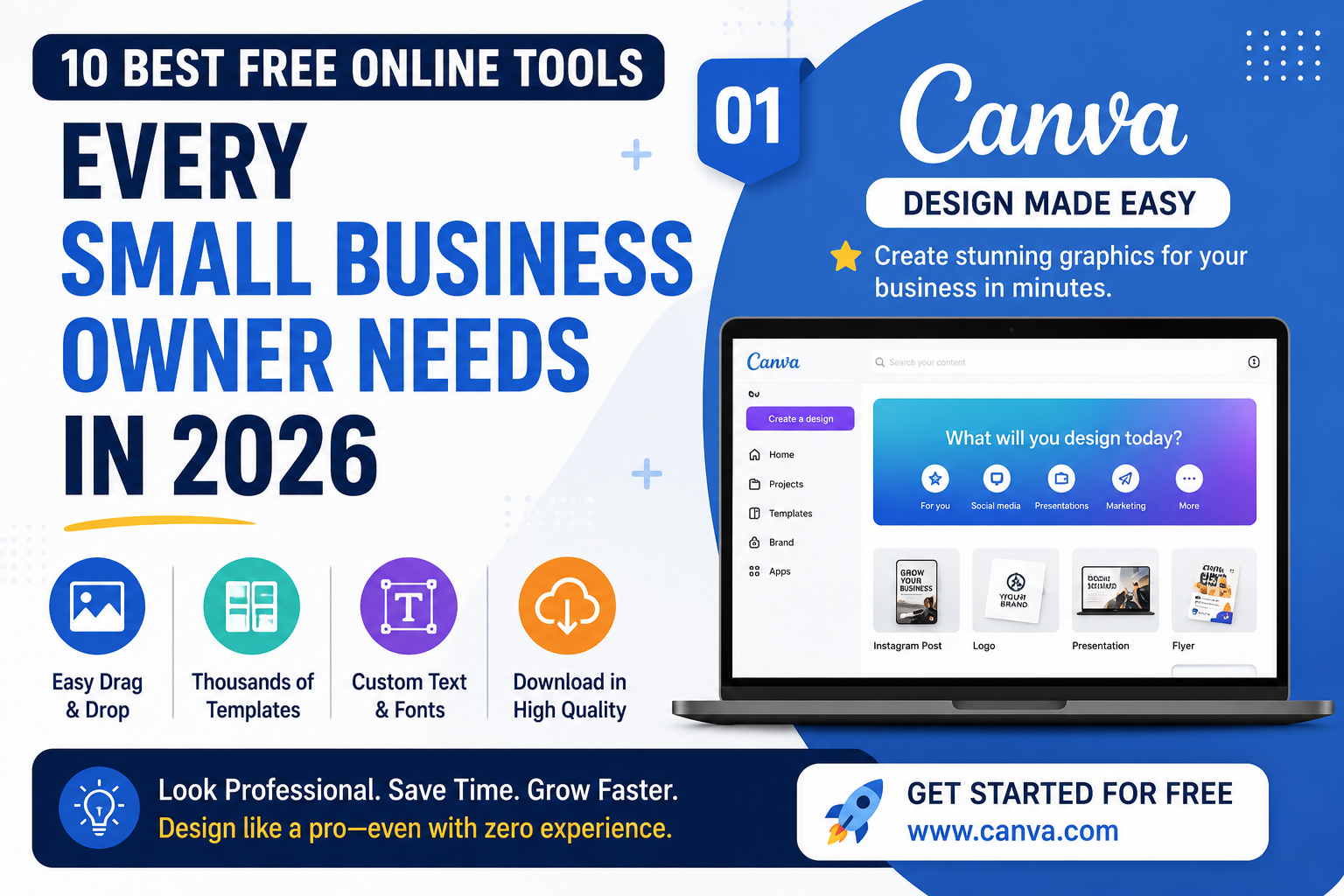
Every small business needs visual content — social media posts, business cards, presentation decks, flyers, invoices, email headers, and website images. Canva's free plan handles all of it without any design experience required. You choose a template, drag and drop elements, change colours and text, and download a professional-looking result in minutes. The AI features make it even more powerful in 2026: generate images from a text description, resize a design for every social platform format instantly, and use Magic Write to generate captions and descriptions directly inside your design. For small businesses that cannot afford a graphic designer, Canva is the most practical substitute available — and the free plan is genuinely capable for most early-stage needs.
Best first use: Create a set of branded social media templates in your brand colours and fonts. Once done, every future post takes two minutes instead of twenty.
2. HubSpot CRM — Free Customer Management That Actually Works
Best for: Tracking leads, managing sales pipeline, email follow-ups
Free plan includes: Unlimited users, unlimited contacts, deal pipeline, email tracking, meeting scheduling, live chat widget
Paid from: ₹1,250/month
A CRM (Customer Relationship Management) tool is where you track every lead, customer, conversation, and deal in your business. Without one, information lives in WhatsApp chats, scattered spreadsheets, and your memory — a guaranteed recipe for lost customers and missed follow-ups. HubSpot's free CRM is the most capable zero-cost option available in 2026. Its free tier is unlimited in the ways that matter most: unlimited contacts, unlimited users, and a visual deal pipeline that shows you exactly where every prospect sits in your sales process at a glance. The free plan also includes email tracking (you see when a prospect opens your email), a meeting scheduling link you can share instead of playing the back-and-forth scheduling game, and a live chat widget for your website. For any business managing more than ten customers at a time, this tool changes how professionally you operate.
Best first use: Import your existing customer contacts from WhatsApp or a spreadsheet and set up a simple pipeline with three stages: Contacted, Interested, Converted. Spend ten minutes here and you will immediately see who needs following up with.
3. Notion — Your Business's Organised Second Brain
Best for: Business wiki, content planning, SOPs, meeting notes, client database
Free plan includes: Unlimited pages, unlimited blocks, 10 MB file uploads, basic AI (limited)
Paid from: ₹660/month
Notion is an all-in-one workspace that replaces the scattered combination of Google Docs, Evernote, Trello, and spreadsheets that most small businesses end up using simultaneously. You can build a company wiki, manage projects, track goals, write content, maintain a client database, and document your processes — all inside one tool with a consistent interface. The AI assistant generates text, summarises long documents, converts meeting notes into structured action items, and answers questions about content you have stored in Notion. For solo founders and small teams who need to stay organised without dedicated operations software, Notion's free tier is genuinely one of the most valuable tools on this list. The learning curve takes a few hours — but the payoff in organisation and clarity is worth every minute.
Best first use: Build a simple Company Wiki with three pages: About the Business (your mission, values, target customer), How We Work (your standard processes), and Current Projects (what is being worked on right now). This alone reduces time wasted repeating information to team members or freelancers.
4. Trello — Visual Project Management Anyone Can Use
Best for: Task tracking, content calendars, order management, team coordination
Free plan includes: Unlimited cards, up to 10 boards per workspace, basic automations, unlimited team members
Paid from: ₹415/month
Trello uses a kanban-style board system — columns of cards that you drag between stages — to manage any workflow. Whether you are tracking content production, client orders, hiring processes, or product development, the visual format makes progress immediately clear to everyone involved. The free plan supports unlimited team members and unlimited cards, which means a small team can use it without restrictions. Its simplicity is its greatest strength: Trello takes about ten minutes to learn and can be customised to almost any workflow without any technical knowledge. For businesses currently managing projects in WhatsApp groups or endless Gmail threads, Trello is a significant upgrade that costs nothing to start.
Best first use: Create a Content Calendar board with four columns: Ideas, Writing in Progress, Ready to Publish, Published. Add one card per blog post or social media piece. Drag cards as they move through stages. You will never lose track of your content pipeline again.
5. Zoho Invoice — Professional Invoicing for Indian Businesses
Best for: GST invoicing, payment tracking, client billing, expense management
Free plan includes: Up to 1,000 invoices per year, GST-compliant invoices, payment reminders, basic reports
Paid from: ₹749/month
Getting paid on time is one of the most chronic pain points for Indian small businesses and freelancers. Zoho Invoice's free plan solves the most important parts of this problem at zero cost. It generates GST-compliant invoices with your logo automatically, sends automated payment reminders to clients who have not paid yet, accepts online payments via Razorpay and Stripe, and gives you an instant view of which invoices are paid, pending, or overdue. One thousand invoices per year is more than enough for most Indian small businesses and freelancers. Compare this to the alternative — manually creating invoices in Word or Excel with no automated follow-up — and the improvement is immediate. This is the most important free tool on this list for any Indian service business, consultant, or freelancer who sends invoices regularly.
Best first use: Create your first professional invoice template with your business name, GSTIN, logo, and payment details. Send it to your next client instead of a WhatsApp message. The difference in how you are perceived is immediate.
6. Buffer — Social Media Scheduling Without Daily Manual Work
Best for: Scheduling posts across multiple platforms, posting at optimal times
Free plan includes: 3 social channels, 10 scheduled posts per channel, basic analytics
Paid from: ₹500/month
Consistency is the foundation of social media growth, and manually logging into each platform every day to post is the biggest enemy of that consistency for a busy small business owner. Buffer's free plan lets you connect Instagram, Facebook, X, LinkedIn, and Pinterest and schedule posts in advance from a single dashboard. Write a week's worth of posts on Monday morning, schedule them for the times Buffer recommends based on when your audience is most active, and let the tool publish automatically while you focus on running your business. The analytics dashboard shows you which posts generated the most engagement so you can double down on what works rather than guessing. For businesses that know they should post consistently but find it hard in practice, Buffer is the most direct practical solution.
Best first use: Schedule your next seven days of social posts in one 30-minute session. Then notice how much mental space you recover by not thinking about "what do I post today" every single morning.
7. Google Workspace Free Tools — The Essential Foundation
Best for: Email, documents, spreadsheets, video calls, file storage
Free plan includes: Gmail, Docs, Sheets, Slides, Forms, Drive (15 GB), Meet (60-min group calls)
Paid from: ₹125/user/month (custom domain email)
Before any other tool on this list, every small business needs a Google account — because the free tools bundled with it are the foundation everything else connects to. Gmail handles email. Google Docs and Sheets replace Microsoft Word and Excel for most everyday use cases. Google Drive stores and shares files without emailing attachments back and forth. Google Meet handles video calls without Zoom's time limits on the paid tier. Google Forms collects customer inquiries, leads, feedback, and event registrations for free in minutes. And Google Calendar keeps your schedule organised and shareable with team members. If you are not already using Google Workspace's free tools as the backbone of your business operations, setting that up is the most important first step before any other tool on this list.
Best first use: Create a shared Google Drive folder called "Business Documents" and move every important business document — contracts, pricing, client files, SOPs — into it. Instant organisation, accessible from any device, automatically backed up.
8. Ubersuggest — Free SEO Research for Your Website
Best for: Finding keywords to target, analysing competitor rankings, content ideas
Free plan includes: 3 keyword searches per day, competitor analysis, basic backlink data
Paid from: ₹2,490/month
If your small business has a website or blog, getting traffic from Google is the highest-ROI marketing channel available in 2026 — and it costs nothing except time and consistent content. Ubersuggest's free tier gives you three daily searches showing keyword search volume, SEO difficulty score, and which of your competitors is already ranking for any keyword you search. Type your product or service into the search bar and Ubersuggest shows you every related keyword people are searching for and how competitive each one is. Three searches per day is enough to build a solid weekly content plan without needing to upgrade. Combine Ubersuggest with Google Search Console (free, unlimited) for a complete zero-cost SEO research setup that covers everything a small business website needs in its first year.
Best first use: Search for your main product or service (e.g. "digital marketing agency India") and look at the keyword suggestions. Pick three long-tail variations with lower difficulty scores. Write one piece of content targeting each. That is three months of SEO-focused content planned in ten minutes.
9. Mailchimp — Email Marketing to Stay in Touch With Customers
Best for: Building an email list, sending newsletters, automated welcome emails
Free plan includes: Up to 500 contacts, 1,000 emails per month, 1 audience, basic templates, signup forms
Paid from: ₹830/month
Email marketing consistently delivers the highest ROI of any digital marketing channel — higher than social media, higher than paid ads, and more predictable than SEO. More importantly, an email list is the only marketing asset that you fully own. No platform algorithm can take it away from you, no account can be banned, and no change in Meta or Google's policies can make your list disappear overnight. Mailchimp's free plan lets you build and manage a list of up to 500 contacts, send up to 1,000 emails per month, and set up a basic automated welcome email for new subscribers. For most small businesses starting their email marketing journey, 500 contacts is more than enough to build the habit of consistent email communication before upgrading. Mailchimp integrates directly with Shopify, WooCommerce, and most website platforms, making it easy to capture subscriber email addresses automatically.
Best first use: Create a simple monthly newsletter. Pick a day (e.g. first Monday of each month), write a 200-word update about what is happening in your business, add one useful tip for your customers, and send. Build the habit first. Sophistication comes later.
10. Tidio — AI-Powered Live Chat for Your Website
Best for: Answering visitor questions instantly, capturing leads, reducing drop-offs
Free plan includes: 50 live chat conversations per month, basic AI chatbot, 1 operator
Paid from: ₹1,660/month
A website visitor who cannot get an immediate answer to a simple question about your product, pricing, or availability will leave and buy from a competitor who makes it easier. Tidio adds a live chat widget to your website that lets visitors message you in real time during business hours. When you are offline, its AI chatbot (Lyro) answers common questions automatically using your website's content and FAQ section as its knowledge base — without needing to programme every possible response. The free plan's 50 conversations per month is limited but more than sufficient to test whether live chat improves your conversion rate before committing to a paid plan. For e-commerce stores and service businesses where website visitors have buying questions, Tidio directly translates to more sales from the same traffic you already have.
Best first use: Install Tidio on your website and create three automated responses for your most frequently asked questions: pricing, turnaround time, and how to place an order. These three alone handle 70% of most small business websites' visitor questions.
The Right Setup Order for a New Small Business in 2026
Do not try to set up all ten tools at once. Pick the right sequence based on your most urgent need and build from there:
| Week | Set Up These Tools | Why First |
|---|---|---|
| Week 1 | Google Workspace + Zoho Invoice | Foundation + getting paid professionally |
| Week 2 | HubSpot CRM + Canva | Customer tracking + visual content ready |
| Week 3 | Notion or Trello | Organise your workflow and information |
| Month 2 | Buffer + Mailchimp + Ubersuggest | Build marketing systems once operations are stable |
| Month 2+ | Tidio | Add when website has consistent visitor traffic |
Frequently Asked Questions
Are these online tools really free for small businesses in India?
Yes — all ten tools have genuine free plans, not just time-limited trials. HubSpot CRM, Google Workspace tools, Canva, Notion, and Trello are free indefinitely without a credit card. Zoho Invoice is free for up to 1,000 invoices per year. Buffer, Mailchimp, Ubersuggest, and Tidio have free tiers with monthly usage limits that are sufficient for most early-stage businesses in India.
What is the single most important free tool for a new small business in India?
Zoho Invoice and HubSpot CRM together form the most important starting combination for any new Indian business. Zoho Invoice ensures you send professional GST-compliant invoices and get paid on time. HubSpot CRM ensures you never lose track of a customer, lead, or follow-up. Both are completely free to start and solve the two biggest operational pain points of early-stage businesses.
Can free tools replace paid software for a small business?
For a business with fewer than 10 employees and under ₹50 lakh annual revenue, the free tiers of these tools cover most operational needs effectively. The limitations of free plans — storage caps, contact limits, channel restrictions — typically become binding only when a business is already generating enough revenue to easily justify an upgrade. The right approach: start free, pay only when a specific limit is genuinely blocking your growth.
Which free tool helps most with getting customers in India?
HubSpot CRM helps you manage and follow up with existing leads more effectively. Ubersuggest helps you attract new customers through Google search. Buffer builds your social media presence consistently. Mailchimp keeps past customers coming back. For most Indian small businesses, HubSpot CRM plus consistent social media posting via Buffer delivers the fastest visible improvement in customer acquisition without spending anything.
Is Google Workspace really free for small businesses?
Gmail, Google Docs, Google Sheets, Google Slides, Google Drive (15 GB), Google Meet, and Google Forms are all completely free with a personal Google account. Google Workspace Business Starter — which adds a custom domain email (you@yourbusiness.com) and expanded storage — starts at ₹125 per user per month. Most very small businesses start with the free personal account and upgrade to the paid Business plan once they have consistent revenue.
Sources: HubSpot Free CRM | Zoho Invoice India | Google Workspace India | Mailchimp Pricing | Tidio Pricing

Comments
0Be the first to leave a comment.